

Harakabet App Download: Official Mobile APK for Android & iOS in Kenya
The Harakabet app gives Kenyan bettors convenient mobile access to sports betting and casino games. Android users can install a dedicated APK, while iPhone and iPad users can access the platform through a fully functional mobile website.
This guide explains how to download and install the Harakabet app, which system requirements to check, and how to keep the Android version up to date.
How to Download & Install Harakabet APK for Android
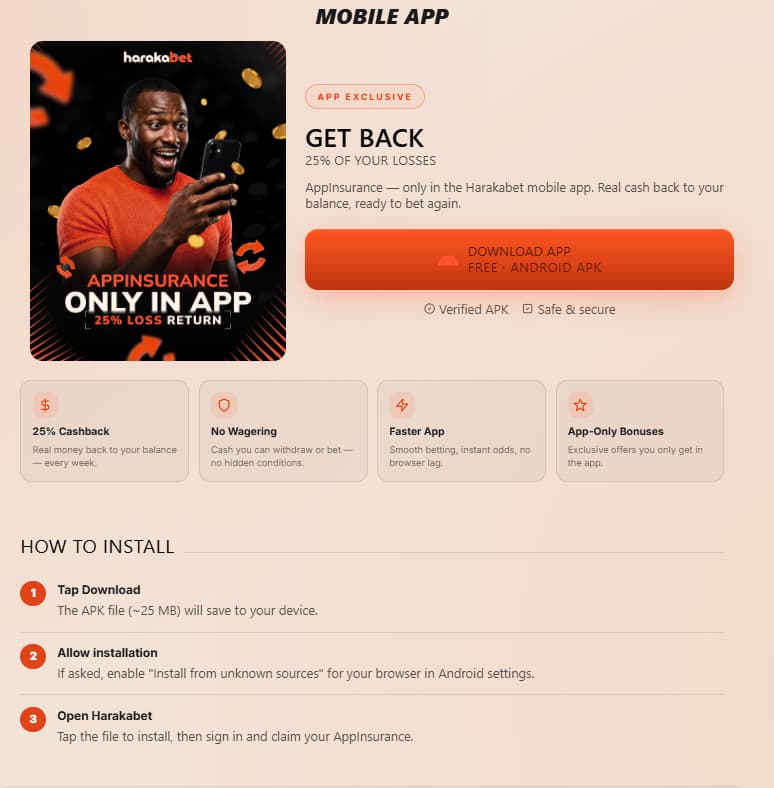
Installing the Harakabet APK requires downloading the file from the official website and allowing the browser or file manager to install apps from that source. On a stable connection, the process should only take a few minutes.
- Open a browser on your Android device and visit the official Harakabet website.
- Select the App Download button displayed on the website.
- If prompted, allow your browser to download the APK file.
- Open the downloaded .apk file from the notification panel or Downloads folder.
- Allow installation from this source in your Android security settings.
- Select Install and wait for the process to finish.
- Open the app, then sign in or register a new account.
Android System Requirements & Compatibility
The Harakabet Android app is designed to work on a broad range of devices, including many entry-level smartphones. Before installation, check the operating system version, available storage, and internet connection.
| Requirement | Minimum Specification |
|---|---|
| Operating System | Android 6.0 or later |
| Storage Space | Approximately 40–60 MB free |
| Memory | 1 GB RAM minimum; 2 GB recommended |
| Internet Connection | 3G minimum; 4G or Wi-Fi recommended for live betting |
Requirements and file size may change with future app releases. Check the information shown on the official download page before installing.
If installation fails, first confirm that the device has enough free storage and is running a supported Android version. It may also be necessary to remove an incomplete download and download the APK again.
Harakabet Mobile Access for iOS Devices
Harakabet does not currently provide a native iOS download through the App Store. Instead, iPhone and iPad users can access the sportsbook and casino through the mobile website using Safari or another supported browser.
The mobile website provides access to core platform functions, including live betting, casino games, deposits, withdrawals, promotions, and account management. Because it runs in the browser, no manual installation is required.
- No separate download or App Store search is required
- The website can be added to the home screen for quicker access
- Platform updates are applied automatically
- The same account and wallet are available across supported devices
iOS System Requirements & Compatibility
Compatibility primarily depends on the device’s browser and operating system. Keeping both iOS and the selected browser updated can help prevent login, payment, or live-market display problems.
| Requirement | Recommended Specification |
|---|---|
| Operating System | iOS 13 or later |
| Browser | An updated version of Safari or Chrome for iOS |
| Storage Space | No full app installation required |
| Internet Connection | 3G minimum; 4G or Wi-Fi recommended for live markets |
Add Harakabet to the iPhone Home Screen
Safari can create a home-screen shortcut that opens the Harakabet website in an app-like window.
- Open the official Harakabet website in Safari.
- Tap the Share button in the Safari toolbar.
- Scroll through the available actions and select Add to Home Screen.
- Confirm the shortcut name and tap Add.
How to Update the Harakabet App to the Latest Version
Because the Android APK is installed outside the Play Store, updates may require downloading the latest installation file from the official website. The app may also display an update notification when a newer version becomes available.
- Check for an update message after opening or signing in to the app.
- Visit the official Harakabet website and download the latest APK.
- Open the downloaded file and install it over the existing version.
- Launch the updated app and confirm that you can sign in normally.
Keeping the app updated helps maintain compatibility, security, and reliable live-market performance. If the app no longer signs in or refreshes odds correctly, checking for a newer version is a sensible first troubleshooting step.
FAQ
Is the Harakabet app free to download?
Yes, downloading and installing the Harakabet app costs nothing. Standard mobile data charges from your network provider still apply during download.
Why can’t I find Harakabet on the Google Play Store?
Google restricts real-money gambling apps in most African markets, so Harakabet distributes its APK directly from its official website instead. This is standard across the betting industry, not unique to Harakabet.
Is there a Harakabet app for iPhone?
There’s no native iOS app currently, but the mobile website delivers the same betting and casino features through Safari or Chrome. Adding it to your home screen gives an app-like experience.
Is it safe to download the Harakabet APK?
It’s safe when downloaded directly from the official Harakabet domain. Avoid third-party APK sites, since modified files can carry malware.
How do I know if my Harakabet app needs updating?
The app typically shows a notification on login when a newer version is available. You can also manually check by comparing your installed version against the latest APK on the official site.


